

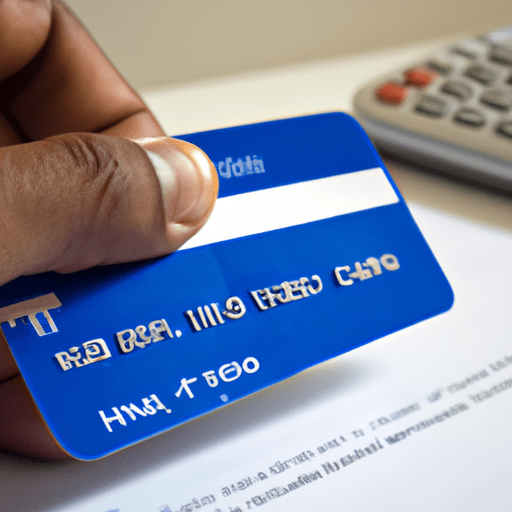
Paying your HDFC credit card bill can be an easy, hassle-free process. With a few simple steps, you can make sure that your payments are made on time and in full. This article will help you understand the different payment options available for HDFC credit card bills and how to make the payments.
Step 1: Understanding Payment Options
HDFC offers various payment options for credit card bills. You can pay your HDFC credit card bill through net banking, mobile banking, auto-debit facility, NEFT, cheque, demand draft, cash and more. Each payment option has its own advantages and disadvantages, so it is important to choose the right one for you.
Net banking is the most popular payment option for HDFC credit card bills. You can log in to your HDFC net banking account and make the payment. This is an easy and convenient way to make payments and is also secure.
Mobile banking is another option which can be used to pay HDFC credit card bills. You can use your smartphone to make payments via mobile banking apps like HDFC Payzapp or other third-party apps. This is a fast and secure way to make payments.
The auto-debit facility allows you to set up an automatic payment from your HDFC bank account to your credit card bill. This is a great way to ensure that your payments are made on time and in full.
You can also make payments through NEFT, cheques, demand drafts, cash and more.
Step 2: Making the Payment
Once you have chosen the payment option that suits you best, you can proceed to make the payment.
If you are using net banking or mobile banking, you will need to log in to your account and select the ‘pay credit card bill’ option. You will then need to enter your credit card details and the amount you want to pay. Once you have completed the payment, you will receive a confirmation message.
If you are using the auto-debit facility, you will need to set up the payment through your bank account. You will need to enter your credit card details, the amount you want to pay and the date on which you want the payment to be made.
For payments through NEFT, cheques, demand drafts, cash and more, you will need to follow the instructions given by HDFC.
Paying your HDFC credit card bill is an easy process. With a
It is important to make sure that your HDFC Credit Card bill is paid on time and in the right manner. This article will guide you in the right direction when paying your bills.
First, you should log onto the official HDFC Credit Card website and fill out your details, such as name, card number, and expiry date. Once you have provided this information, you will be provided with the payment options available.
The most popular payment methods are net banking and debit/credit cards. When paying through net banking, click on the ‘Pay Bills’ link and fill out the details related to your HDFC Credit Card account. When using your debit or credit card for payment, the process is much simpler. You will just need to enter your card details and the amount you would like to be billed. Also, make sure to read through the terms and conditions of your payment.
Another convenient way to pay your HDFC Credit Card bill is through a mobile app. HDFC Bank has an excellent mobile app, which makes the payment process much simpler. The app allows you to log in to your account and make the payments easily and securely. You can even set up automatic payments and make sure that your bill will be paid on time, every time.
Finally, HDFC Bank also provides the option of making payments through the physical branches. You can visit your nearest HDFC Bank branch and make the payment directly. This is one of the most secure methods of payment, as the money is immediately credited to your account.
Overall, the process of paying your HDFC Credit Card bill is not difficult, as there are various payment methods available. Make sure to select the payment method that best suits you and is most secure.