

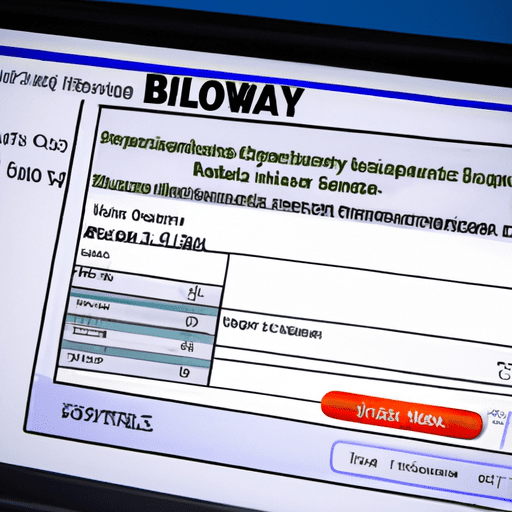
In this day and age, it is becoming increasingly important to be able to access and manage all of your bills and payments online. Fortunately, downloading your electricity bill online is a simple and straightforward process that can save you time and money. This article will provide a step-by-step guide on how to download your electricity bill online, as well as discuss the benefits of doing so.
Step-by-Step Guide
- The first step is to visit the website of your electricity provider. Most electricity providers have a website that allows customers to view their bills and make payments.
- Once on the website, you will need to log in using your credentials. This will provide access to your account, where you can view and manage all of your bills.
- Once logged in, you will be able to view all of your bills, including your electricity bill.
- Select the electricity bill that you would like to download.
- The website will usually provide you with the option to download the bill as a PDF or other file format.
- After selecting the file format, the bill will be downloaded to your device.
Benefits of Downloading Electricity Bill Online
- Convenience: Downloading your electricity bill online is much more convenient than having to wait for it to arrive in the mail. You can access and manage your bills anytime, from anywhere.
- Time Savings: Downloading your electricity bill online can save you a lot of time. You can access and manage your bills quickly and easily without having to wait for them to arrive in the mail.
- Cost Savings: Downloading your electricity bill online can also save you money in the long run. You will not have to pay for postage or other associated costs that come with mailing bills.
Downloading your electricity bill online is a simple and straightforward process that can save you time and money. With this step-by-step guide, you can now easily access and manage your bills anytime, from anywhere.
In today’s digital age, more and more services are becoming available online. One of them is downloading an electricity bill, saving lots of time and hassle to the user. In this article, we will explain the procedure on how to download an electricity bill online.
The first step is to access the website of the electricity provider you are using. You will have to either search for the website or find it through a search engine. Once you are in the website, you will have to look for the option of downloading the electricity bill. It may be in the section that says “My Account” or “My Profile”. There will be an option for bill payment, or electricity bill download.
After finding the right option, you will have to provide some basic details such as your full name, customer ID, address, contact number, etc. Generally, these details are available in the electricity bills that you have been receiving via postal mail till now. Once you provide the required information, you will be able to view or download the electricity bill of the current or past months.
In some cases, you might require to generate a one-time password (OTP) to authenticate the person that is trying to access the account. This is done for security reasons and will be sent to your registered phone number or email address. A few more steps may be involved in the process depending on the electricity provider you are using.
The downloaded electricity bill can now be used for payments of bills as well as for records. As a safety measure, it is best to download a copy of the electricity bill every month and store it on your computer. This ensures that the records of electricity bills remain intact even after the website has been changed.
To summarise, downloading electricity bills online is a simple and convenient process. All you need is to do is find the website of your electric provider and then provide some basic information. After that, you will be able to view/download the electricity bill of the current as well as past months. It is best to keep a backup of the electricity bills in case the website changes in the future.